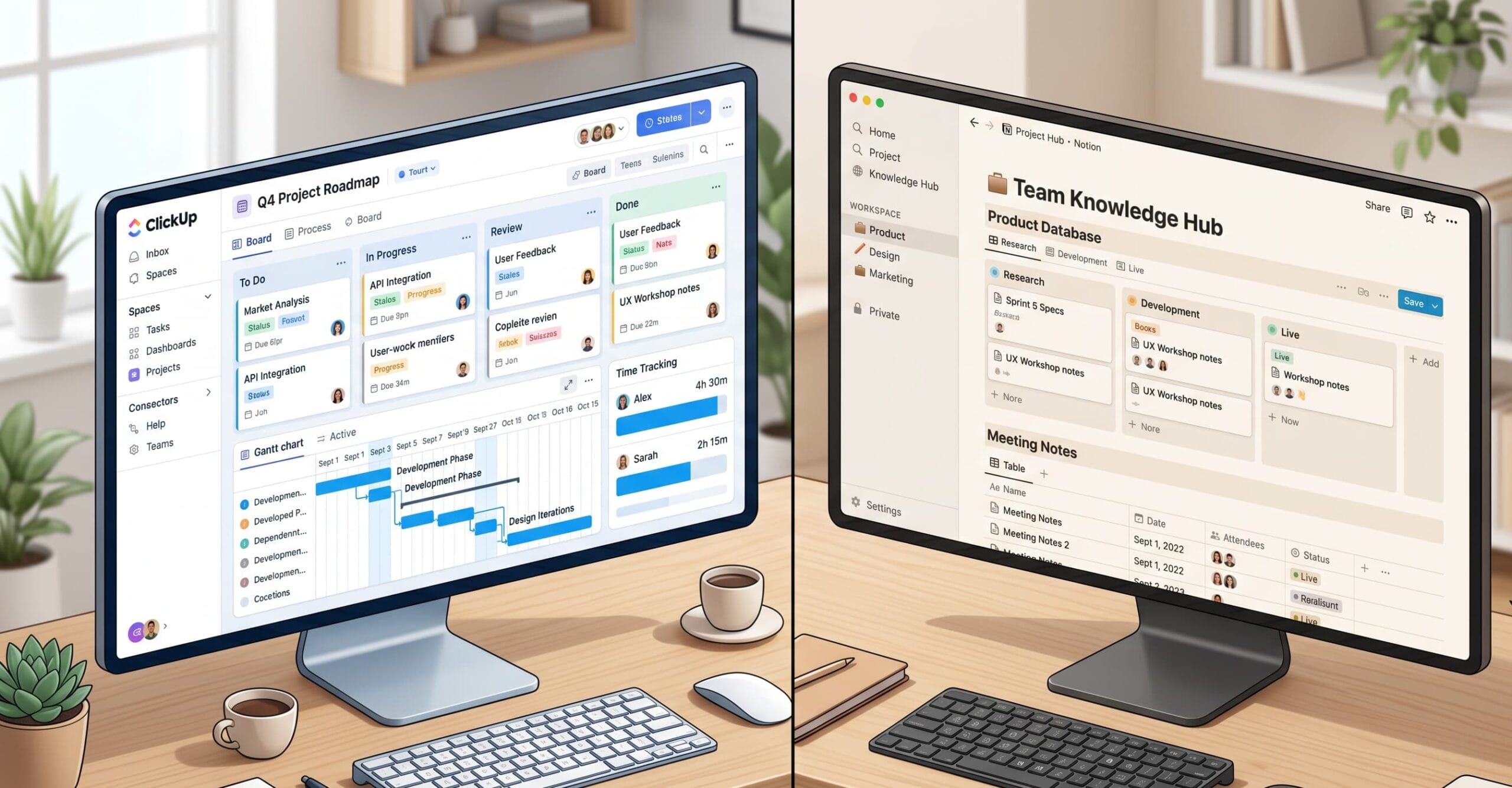
You are not choosing a productivity app. You are choosing the operating system your agency runs on. Get it wrong and your team burns hours fighting the tool instead of serving clients.
Both Notion and ClickUp dominate the agency software conversation in 2026. ClickUp now serves over 800,000 teams while Notion reports more than 100 million users globally. Those numbers suggest both tools work. They do — but for entirely different kinds of agencies, with entirely different workflows. Like2Byte
What Is the Core Difference Between Notion and ClickUp for Agencies?
ClickUp is a structured task and project management platform. Notion is a document-and-database workspace. Both serve agencies, but they approach client delivery from opposite architectural directions. ClickUp organizes work around tasks, statuses, and automation. Notion organizes work around pages, databases, and linked views. The distinction determines everything downstream.
Most comparison articles miss this. They line up feature tables and declare a winner. That approach fails agencies because the feature that matters on Monday morning — assigning a client revision at 8 AM, tracking hours by 5 PM — depends entirely on how your team delivers work, not on a checkbox matrix.
Which Tool Handles Client Project Workflows Better?
ClickUp handles structured client project delivery more effectively than Notion. It supports intake forms, task assignment, dependency mapping, Gantt timelines, and workload views in a single workflow. Notion requires manual database construction to replicate this — a setup investment that can take four to twelve weeks before teams reach steady-state productivity.
When tracking a real website redesign through both platforms — with content, design, and development tasks — ClickUp handled intake via ClickUp Forms, collecting structured input and routing it directly into a project. Notion required a custom database built from scratch before any task routing could occur. Like2Byte
For agencies running three to ten concurrent client projects, that structural gap is the ballgame.
Does ClickUp’s Time Tracking Meet Agency Billing Needs?
ClickUp includes native time tracking on its Business plan, allowing teams to mark time as billable and generate timesheet reports. However, it lacks built-in invoicing, rate management, and automated billing workflows. All tracked time ties to individual tasks, which creates consistency issues when team members batch-log hours at day’s end.
ClickUp allows marking time as billable but lacks built-in invoicing, rate management, and automated billing workflows — making it harder to track multiple tasks in one session or see full-day work timelines. Most agencies running serious billing operations pair ClickUp with a dedicated time tool like Timely or Harvest. Timely
Notion offers no native time tracking at all. Agencies using Notion for billing must integrate a third-party tool from day one.
How Do Notion and ClickUp Pricing Compare for Agency Teams?
ClickUp’s Business plan costs $12 per user per month (annual), which is the minimum tier that unlocks time tracking, workload management, and advanced automations — the features most agencies actually need. Notion’s Business plan costs $18 per user per month. For a 10-person agency, that gap is meaningful: $1,440 versus $2,160 annually, before AI add-ons.
ClickUp has a documented pricing history that includes a verified 40% base plan increase on the Unlimited tier and policy changes like guest user reclassification that drove costs up dramatically for some organizations — so agencies should budget conservatively and lock in annual contracts early. Checkthat
Notion paid plans start at $10 per user per month for Plus and $18 per user per month for Business, with the Business plan adding SAML SSO, private teamspaces, bulk PDF export, and 90-day page history. For agencies that need content segmentation across client accounts, those Business-tier permissions matter. Automation Atlas
Is Notion or ClickUp Better for Agency Knowledge Management?
Notion is significantly better for agency knowledge management. Its block-based architecture, nested pages, and linked databases make it the superior tool for team wikis, SOPs, brand asset libraries, and onboarding documentation. ClickUp’s Docs feature has improved but remains secondary to its task management core.
Many agencies use both tools: ClickUp for project execution and client work, Notion for internal knowledge and creative planning. This hybrid approach is the operational reality that most comparison articles refuse to acknowledge. Camel Tech
The agencies that thrive in 2026 are not asking “which tool wins.” They are asking which tool owns which layer of their operation.
Which Tool Should a Growing Agency Choose in 2026?
Agencies billing against time, managing five or more concurrent client projects, and operating with teams larger than eight should default to ClickUp as their operational backbone. Its Gantt views, workload management, native time tracking, and automation depth give project managers genuine control at scale.
Agencies running content strategy, brand consulting, or knowledge-intensive services — where the deliverable is the document — will move faster and leaner in Notion. The tool’s flexibility rewards teams that invest in architecture upfront and do not need daily task dependencies.
If your agency bills against time, manages multiple client projects simultaneously, and has more than eight people, ClickUp is the stronger operational backbone. If you run a small content or strategy shop where the deliverable is the document itself, Notion keeps you faster and leaner. Like2Byte
Neither tool is universally superior. The dangerous myth is that one platform can replace the other entirely. For most agencies crossing the ten-person threshold, the smartest architecture is Notion managing institutional knowledge while ClickUp drives project execution. See G2’s 2026 agency PM software rankings for third-party validation of both platforms.
The worst outcome is choosing based on aesthetics or a Reddit thread and rebuilding six months later. Map your workflow first. Then choose the tool that fits it — not the one with the best homepage.